Parcelou em 10x? São dez parcelas
A cafeteira, a máquina de lavar, a passagem. Você lança a compra uma vez e ele cria as dez, cada uma com sua data. Só a que venceu entra no saldo; as outras ficam agendadas, à vista de todo mundo.

Viagem, churrasco, as contas de casa e até a compra em 10x. Você lança e o Racha Aí diz quem deve quanto a quem.
Chegando à App Store. Grátis, sem anúncio e sem compra dentro do app.
O de sempre
A conta da viagem, a da casa e a da compra parcelada acabam todas no mesmo lugar: a memória de alguém. E a parte chata, a de cobrar, sobra sempre para a mesma pessoa.
O que os outros não fazem
A máquina de lavar em 10x não é uma despesa. São dez.
É aqui que a maioria dos apps de dividir conta para. No Racha Aí a compra parcelada vira dez parcelas com data, e cada uma só entra no saldo no mês em que vence. O aluguel, a faxina e a assinatura seguem a mesma ideia: você lança uma vez e não pensa mais nisso.
Por que ele é diferente
As três primeiras quase não existem em app de dividir conta. A quarta é o que faz a viagem, a casa e a compra grande caberem num saldo só.
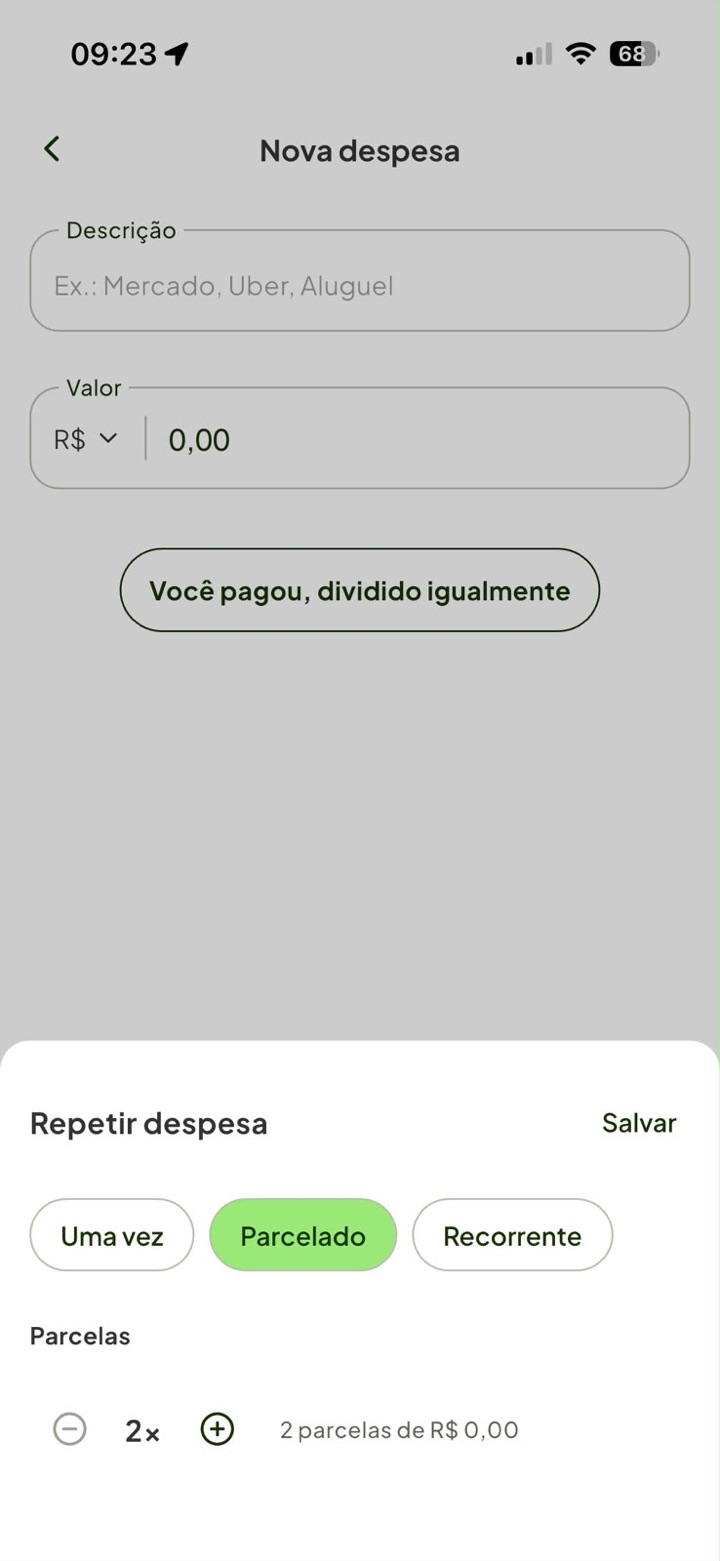
A cafeteira, a máquina de lavar, a passagem. Você lança a compra uma vez e ele cria as dez, cada uma com sua data. Só a que venceu entra no saldo; as outras ficam agendadas, à vista de todo mundo.
Aluguel, faxina, internet, a assinatura que vocês dividem. Lança como recorrente e ele aparece todo mês por conta própria, no valor combinado, sem ninguém ter que lembrar.
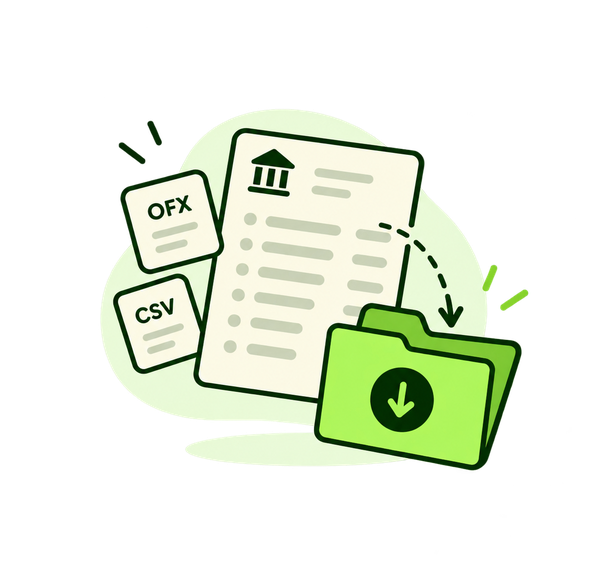
Manda o print da fatura, o print das notificações de compra do app do banco, ou o arquivo OFX/CSV. O texto é lido dentro do próprio iPhone e você decide um a um, com um toque em cada lançamento.
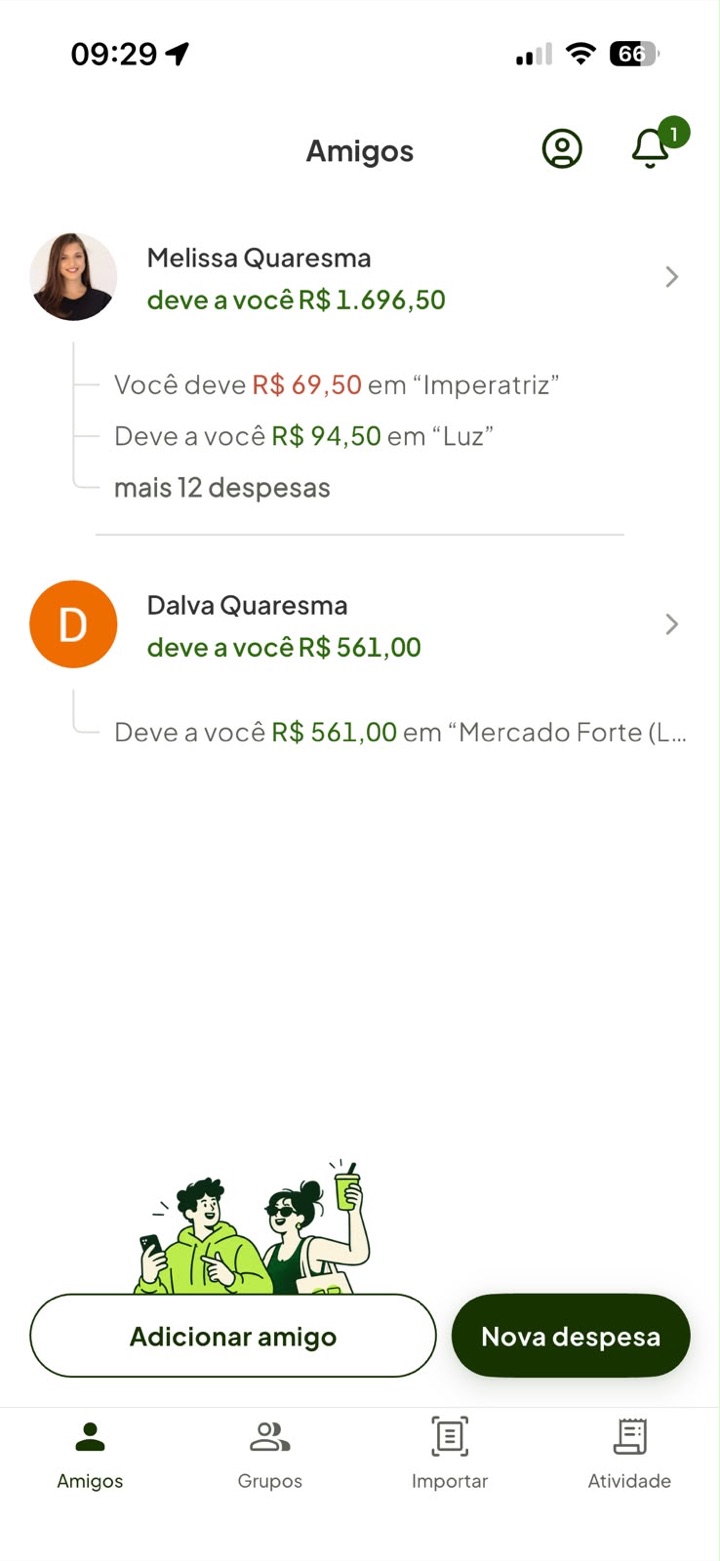
Você não deve para a viagem, você deve para a Melissa. O saldo de cada pessoa já soma os grupos em comum e os gastos soltos, então o churrasco de sábado e a conta de luz aparecem no mesmo número.
Como funciona
Na hora, na mesa, em dois toques. Ou manda o print da fatura no fim do mês e escolhe o que era dividido. Se a compra foi parcelada ou se repete todo mês, você diz isso na mesma tela.
O rateio sai em centavos inteiros, e o centavo que não divide tem dono definido. Vale para o gasto solto, para o grupo da viagem e para cada parcela da compra grande, sempre com a mesma regra.
O pix acontece fora do app, como sempre aconteceu. Um toque registra que ele aconteceu, e o que já foi resolvido sai da frente: na tela fica só o que está em aberto.
Por dentro
Não tem menu escondido nem ajuste para estudar. O que você vê aqui é o que você vai usar toda vez.
Quem deve quanto a quem, somando a viagem, a casa e o que ficou parcelado.
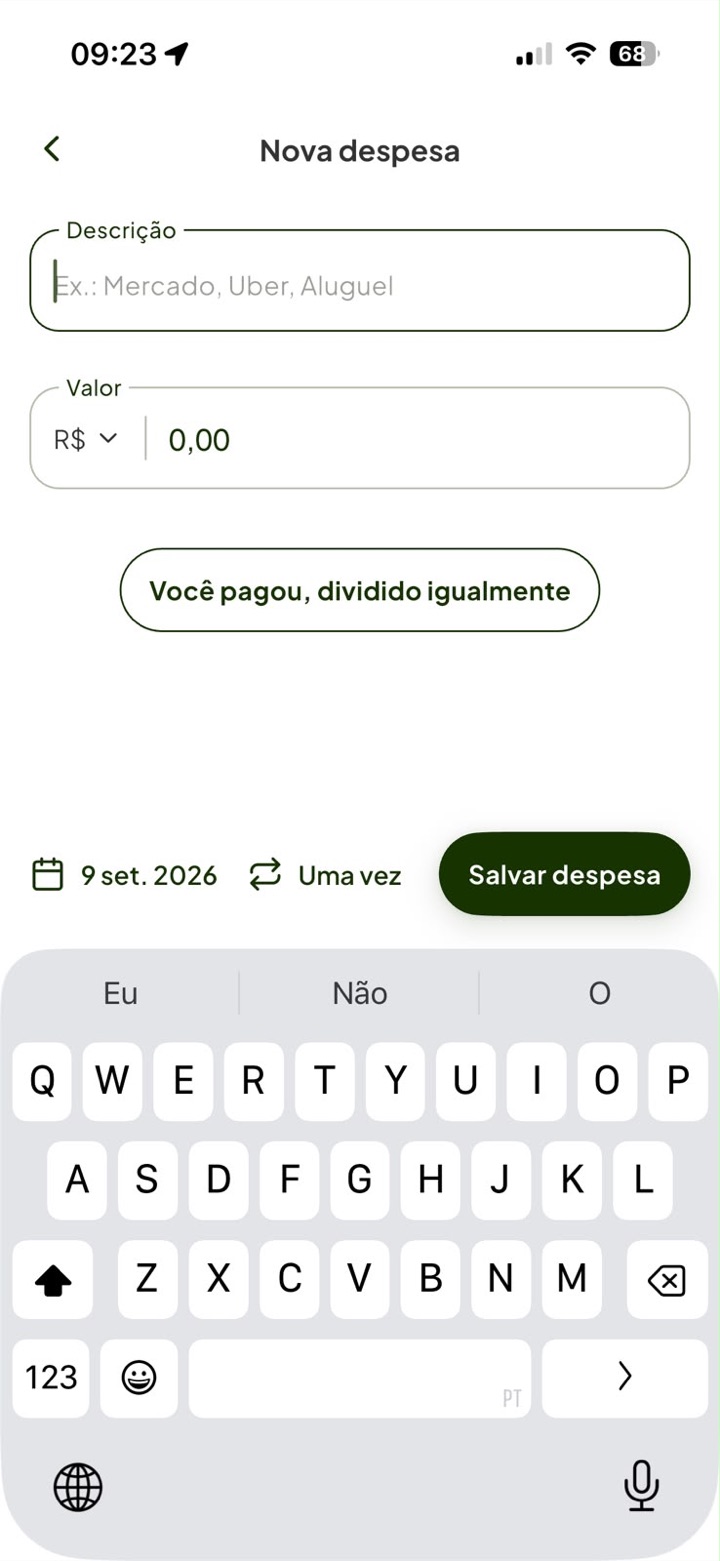
O que foi, quanto custou, e o rateio inteiro resumido numa frase só.
A cafeteira em 10x e o aluguel de todo mês moram na mesma folha.
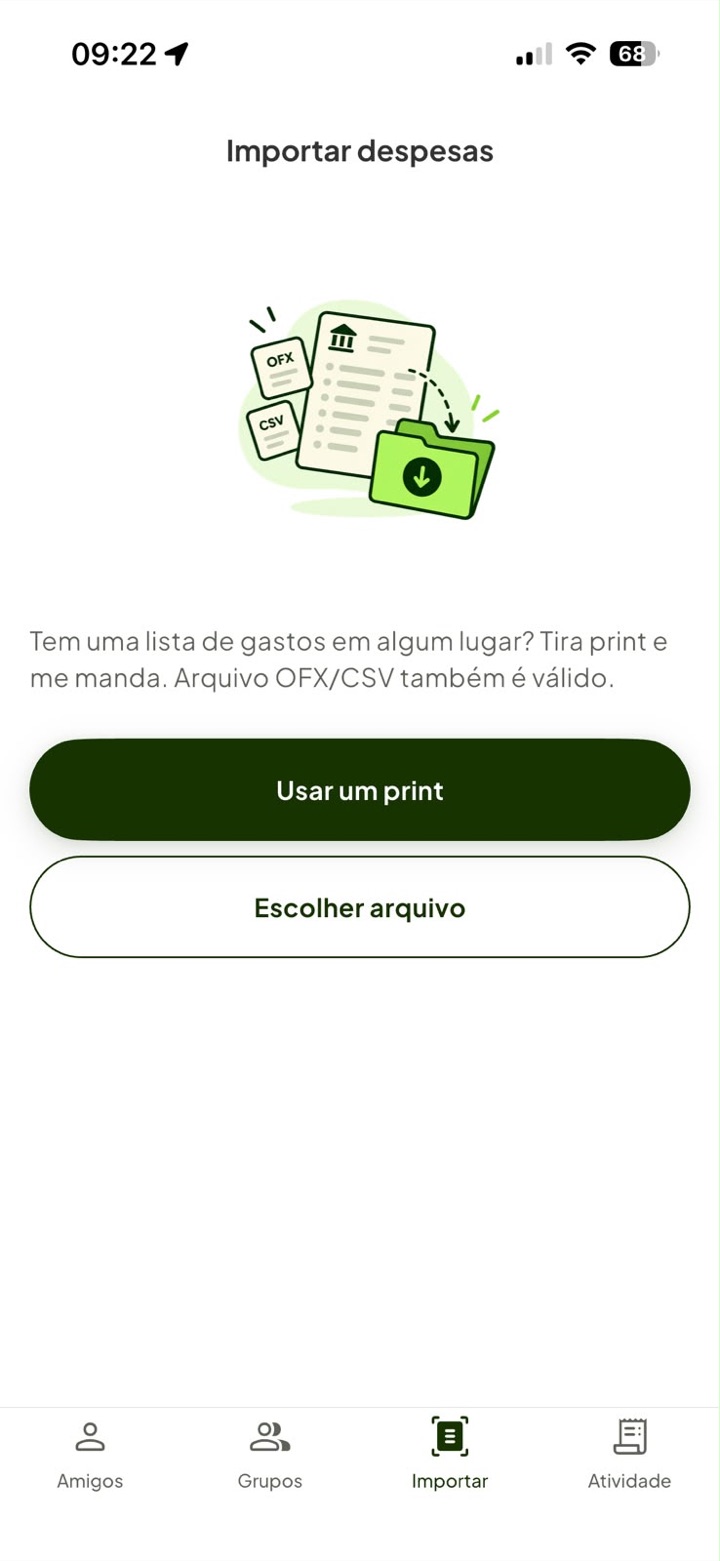
Print da fatura, print da notificação do banco, ou o arquivo OFX/CSV.
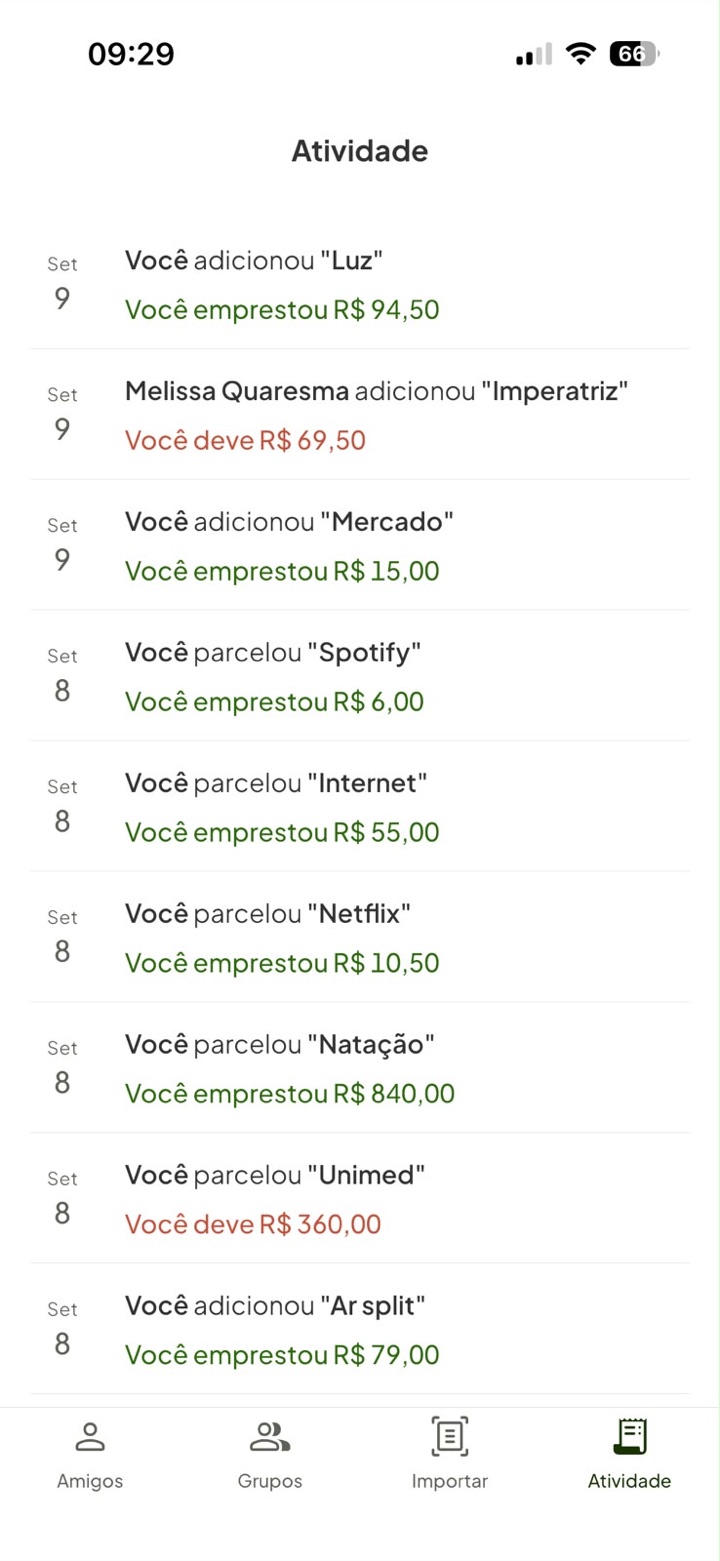
Cada lançamento diz o que fez com o SEU saldo, não o total da nota.
Privacidade
Um app de dividir conta vê onde você comeu, com quem você viajou e quanto você gastou. Por isso ele foi feito para carregar o mínimo possível.
A leitura do extrato acontece dentro do próprio aparelho, pelo iOS. A imagem da sua fatura não é enviada para lugar nenhum.
Para achar quem já usa o app, só os números que deram match voltam do servidor. Nada de terceiro é guardado, nem de quem não usa o Racha Aí.
A exclusão fica dentro do app, sem pedir por e-mail e sem falar com ninguém. O que os amigos ainda precisam para fechar a conta deles fica sem os seus dados.
Perguntas
Você lança a compra uma vez, diz em quantas vezes ficou, e o app cria todas as parcelas de uma vez, cada uma com o mês dela. O saldo só conta a parcela que já venceu, então ninguém aparece devendo os dez meses de uma vez. As que ainda vão vencer ficam visíveis como "a vencer".
Lança como recorrente e pronto. Aluguel, faxina, internet ou a assinatura que vocês dividem passam a aparecer sozinhos todo mês, no valor combinado, até você mandar parar.
Dá. Você manda um print da fatura, um print das notificações de compra do app do banco, ou um arquivo OFX/CSV. O app lê os lançamentos e te mostra um por um, com um toque para dividir ou ignorar cada um. A leitura acontece dentro do seu iPhone.
Serve para os três. Para o que tem várias pessoas e se repete existe o grupo, com a lista de gente e o saldo de cada um. Para o café que você pagou hoje, ou para a compra grande que você dividiu com uma pessoa só, não precisa criar nada: é só lançar no nome dela.
Não. Você lança a despesa no nome da pessoa mesmo sem conta, e o saldo dela existe do mesmo jeito. Quando ela baixar o app e cadastrar o mesmo telefone, aquele histórico vira a conta dela, com as amizades junto.
Não. Cada pessoa só enxerga as despesas das quais ela faz parte. O resto da sua vida financeira não entra no app, e o que entra não é mostrado para quem não estava na conta.
Não. Ele não conecta em banco, não move pix e não guarda cartão. Ele anota e faz a conta; o pagamento acontece fora e você registra com um toque que aconteceu.
É. Sem assinatura, sem compra dentro do app e sem anúncio. Também não existe plano pago escondido atrás de uma funcionalidade.
Hoje não. O app é feito para iPhone, e a lista de espera avisa se isso mudar.
O Racha Aí está chegando à App Store. Deixe seu e-mail e a gente avisa no dia, uma vez só, sem virar newsletter.
Abre seu app de e-mail com a mensagem pronta. Nada é guardado nesta página.
The trip, the barbecue, the household bills and even the purchase split into 10 payments. You add it and Racha Aí tells you who owes whom.
Coming to the App Store. Free, ad free and no in-app purchases.
The usual
The trip, the household bills and the purchase you split over ten months all end up in the same place: somebody's memory. And the awkward part, asking for the money, always lands on the same person.
What the others don't do
A washing machine in 10 payments is not one expense. It is ten.
This is where most bill splitting apps stop. In Racha Aí that purchase becomes ten dated installments, and each one only counts toward the balance in the month it comes due. Rent, cleaning and subscriptions follow the same idea: you enter it once and stop thinking about it.
Why it is different
The first three barely exist in bill splitting apps. The fourth is what makes the trip, the house and the big purchase fit into one balance.
The coffee machine, the washing machine, the flights. You enter the purchase once and it creates all ten, each with its own date. Only the one that is due counts toward the balance; the rest stay scheduled and visible to everyone.
Rent, cleaning, internet, the subscription the two of you share. Enter it as recurring and it shows up every month by itself, at the agreed amount, with nobody having to remember.
Send a picture of your statement, a picture of your bank app's purchase notifications, or an OFX/CSV file. The text is read inside your own iPhone and you decide line by line, one tap each.
You do not owe the trip, you owe Melissa. Each person's balance already adds up every shared group and every one-off expense, so Saturday's barbecue and the electricity bill land in the same number.
How it works
Right there at the table, in two taps. Or send a picture of your statement at the end of the month and pick what was shared. If the purchase was in installments, or repeats monthly, you say so on the same screen.
The split comes out in whole cents, and the cent that does not divide has a defined owner. Same rule for a one-off expense, for the trip's group and for every installment of the big purchase.
The payment happens outside the app, the way it always did. One tap records that it happened, and whatever is settled steps aside: what stays on screen is what is still open.
Inside
No hidden menus, no settings to study. What you see here is what you will use every single time.
Who owes whom, adding up the trip, the household and whatever is in installments.
What it was, what it cost, and the whole split summed up in a single line.
The coffee machine in ten payments and the monthly rent live on the same sheet.
A picture of the statement, of your bank's notifications, or an OFX/CSV file.
Each entry says what it did to YOUR balance, not the total of the bill.
Privacy
A bill splitting app sees where you ate, who you travelled with and how much you spent. That is why this one was built to carry as little as possible.
Reading your statement happens inside your own iPhone, by iOS. The picture of your statement is never sent anywhere.
To find who already uses the app, only the numbers that match come back from the server. Nobody else's data is stored, least of all a non-user's.
Deletion lives inside the app, with no email request and no conversation. Whatever your friends still need to close their own balance is anonymised.
Questions
You enter the purchase once, say how many payments it was split into, and the app creates every installment at once, each with its own month. The balance only counts the installment that is already due, so nobody shows up owing ten months at once. The ones still ahead stay visible as upcoming.
Enter it as recurring and that is it. Rent, cleaning, internet or the subscription you share start showing up on their own every month, at the agreed amount, until you stop them.
You can. Send a picture of your statement, a picture of your bank app's purchase notifications, or an OFX/CSV file. The app reads the lines and shows them to you one by one, one tap to split or to ignore each. The reading happens inside your iPhone.
For all three. For whatever involves several people and repeats there are groups, with a roster and a balance per person. For the coffee you paid for today, or the big purchase you split with one person, you do not have to create anything: just add it under their name.
No. You add the expense under their name even without an account, and their balance exists just the same. When they download the app and register the same phone number, that history becomes their account, friendships included.
No. Each person only sees the expenses they are part of. The rest of your financial life never enters the app, and what does enter is not shown to anyone who was not on that bill.
No. It does not connect to a bank, does not move payments and does not store a card. It records and computes; the payment happens outside and you tap once to say that it did.
Yes. No subscription, no in-app purchases and no ads. There is also no paid tier hidden behind a feature.
Not today. The app is built for iPhone, and the waiting list will tell you if that changes.
Racha Aí is coming to the App Store. Leave your email and we will tell you on the day, once, and it will not turn into a newsletter.
This opens your mail app with the message ready. Nothing is stored on this page.